The whole school, one platform
One system. Every role it touches.
Most schools run on a patchwork of up to eleven disconnected apps: a SIS here, a billing tool there, a separate family portal, a hiring spreadsheet, a fundraising platform none of them talk to. MMAP replaces the patchwork with one aligned platform. Here is what that looks like for the people who use it every day.
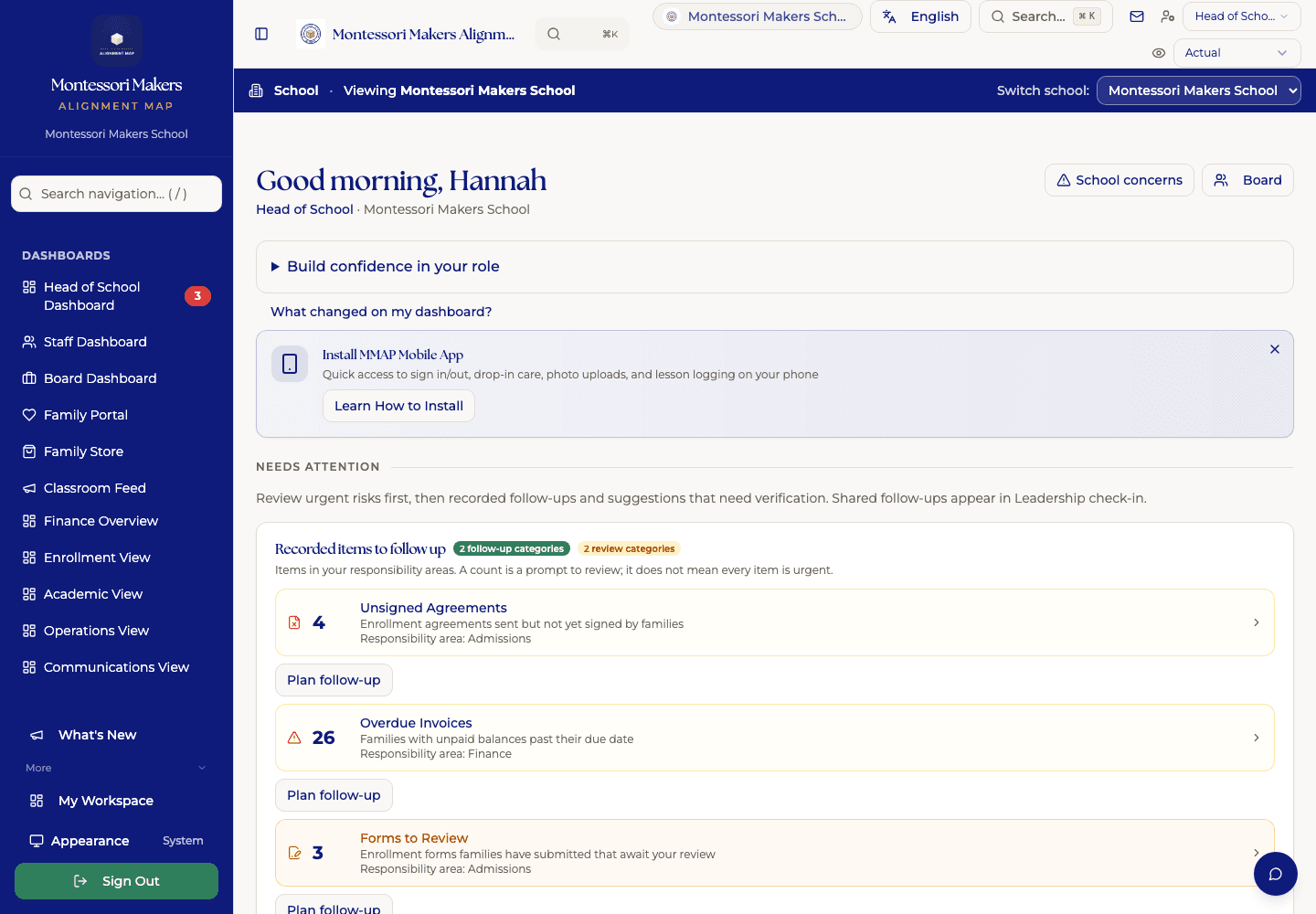
One place the head of school starts the day. Montessori Makers School, our demonstration school: every name and figure in it is invented.
From a school using MMAP
“It is robust and powerful and is going to be such a game changer for record keeping.”
For the classroom
Guides
The record-keeping and workflow tools built for how you actually teach: not a generic gradebook you have to fight.
Explore the classroom tier →- ✓Per-student lesson tracking across the full Montessori album
- ✓Observations with work-sample photos, right from your phone
- ✓Progress maps, mastery tracking, and presentation counts
- ✓Classroom Guide View: the whole roster at a glance, with overdue-presentation flags
- ✓One-button substitute plans, per child
For the office
Administrators
The operational layer that keeps the school running: records, enrollment, family communication, and billing that finally ties out.
Explore the school tier →- ✓Full student information system: records, enrollment, demographics
- ✓Admissions pipeline, from application through deposit
- ✓Family portal: messages, calendar, photos, documents, billing
- ✓Split-family invoicing, AR aging, autopay, and bank reconciliation
- ✓Events, volunteer sign-ups, and a public calendar subscribe feed
- ✓Family Community workspace for PTA, PTO, family organization, and classroom coordinators
For leadership
Heads of School
The visibility and governance tools that let you lead by values at scale: hiring, culture, finance, equity, and the board.
Explore the leadership tier →- ✓HR Hub: hiring, onboarding, appraisals, coaching, PTO
- ✓Equity dashboards: demographics, ABAR pathways, pulse surveys
- ✓Board dashboard, snapshots, and governance reports
- ✓Strategic planning hub and financial equity analysis
- ✓Leader’s Desk: open decisions, risks, and the monthly rhythm
Advancement
And for nonprofit schools, the donor CRM that already knows your families.
Fundraising built on the records you already keep, with a wall between giving history and everything that touches a child. See how Advancement works.
Does MMAP replace our donor CRM?
Yes. Advancement is MMAP’s fundraising domain: donor records built from your existing family data, gifts and pledges, receipts and year-end statements, campaigns, and board reporting. Importers move your history from Bloomerang, Little Green Light, DonorPerfect, or Raiser’s Edge in an afternoon.
We keep our auction platform. Is that a problem?
No. Keep it. Advancement exports and imports cleanly with the major auction and giving-day tools, so event night data lands back in your donor records without re-keying.
Does Advancement do wealth screening?
No, deliberately. Read why on the Advancement page.
Can our adolescent students use MMAP?
No, and that is deliberate. MMAP holds no student accounts by design. It is built for the adults running a school. Waypoint is the student platform for adolescent programs, where students hold their own work, their own plan and their own record. Waypoint is available at a program rate for active MMAP schools. Selected record sharing requires school-specific setup and verification.
It all runs off one data model.
A lesson a guide records, a payment an administrator posts, and an equity metric a head of school reviews are the same underlying data, seen from three chairs. That is why MMAP holds together where a stack of separate apps drifts apart.