Why MMAP

The classroom is at the heart.
The whole school is in view.

A Montessori school has lessons to give, families to welcome, adults to support, and an institution to lead. MMAP makes room for all of it.

Montessori practice shapes the classroom tools. The responsibilities of running a school shape the rest. Choose the plan that covers the work your team needs to do.

See MMAP in action →

01 / The classroom

Keep the child’s story close to the work.

A lesson given. An observation worth returning to. A next step for one child in a mixed-age community. MMAP gives those details a place in the child’s record, so the guide can plan, reflect, and prepare for a family conversation.

Classroom tools begin with Surveyor.

Explore classroom tools →
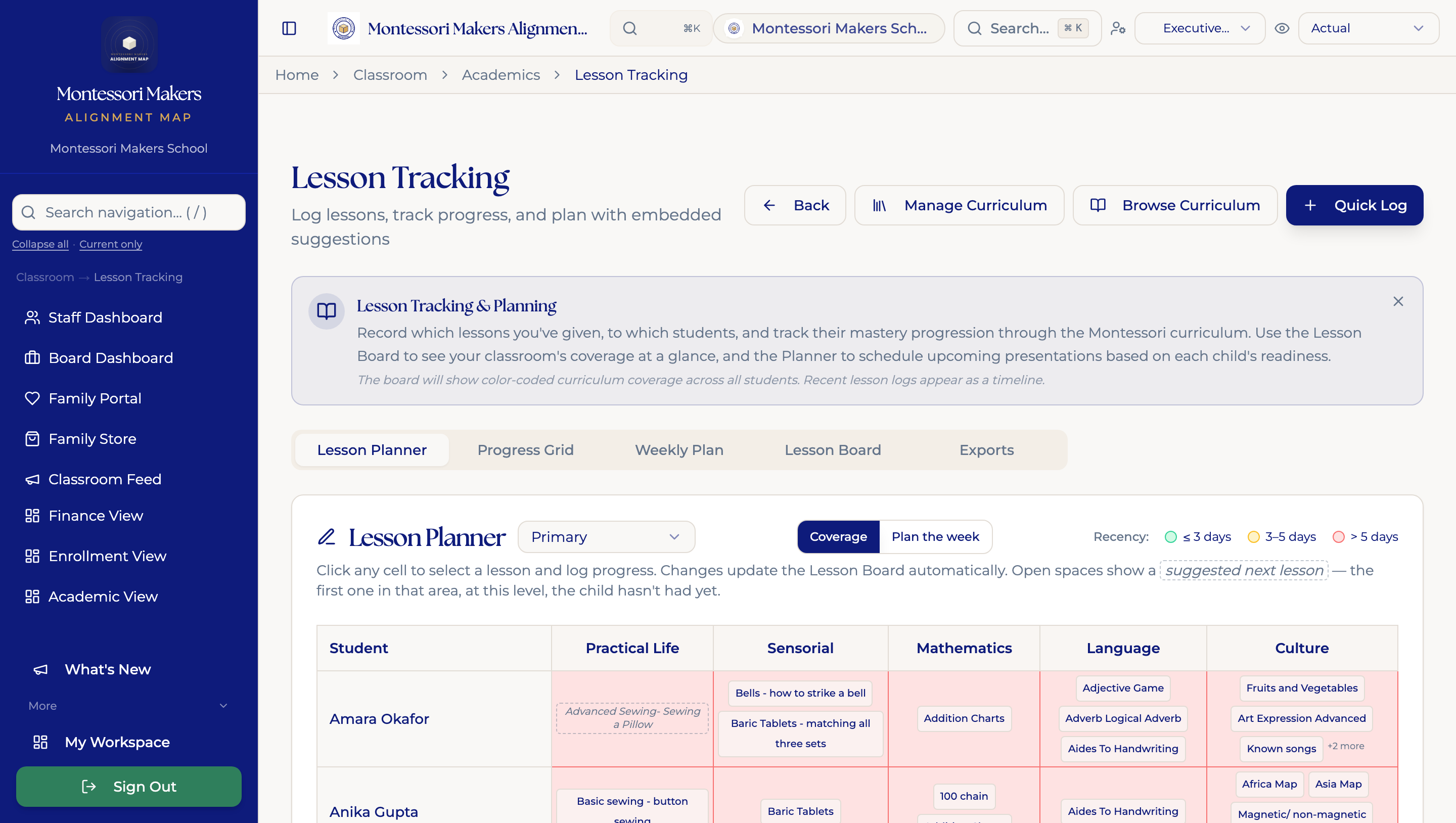
MMAP lesson planner with Montessori curriculum areas and individual lesson records
Actual MMAP screen · Fictional demonstration data · Select to enlarge

02 / The office

Carry the relationship from inquiry to enrollment.

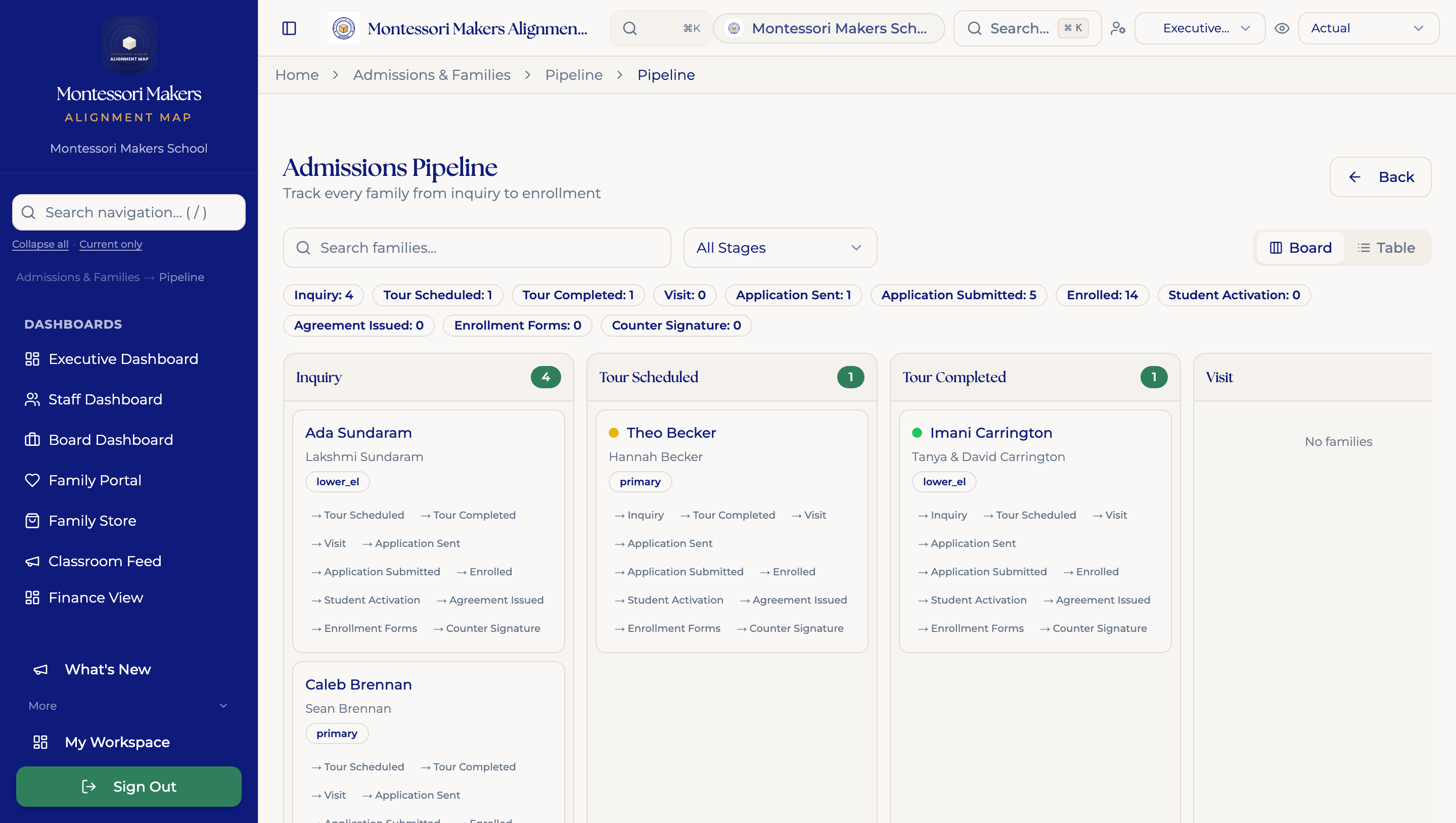
A family’s first question starts a relationship. Admissions stages, tour notes, follow-ups, and enrollment work help the team keep track of what happens next. Family communication and school records have a place alongside that work.

School operations begin with North Star; the admissions CRM is in Mapmaker and Atlas.

Explore school operations →
MMAP admissions dashboard showing inquiries, tours, and enrollment stages
Actual MMAP screen · Fictional demonstration data · Select to enlarge

03 / The leadership table

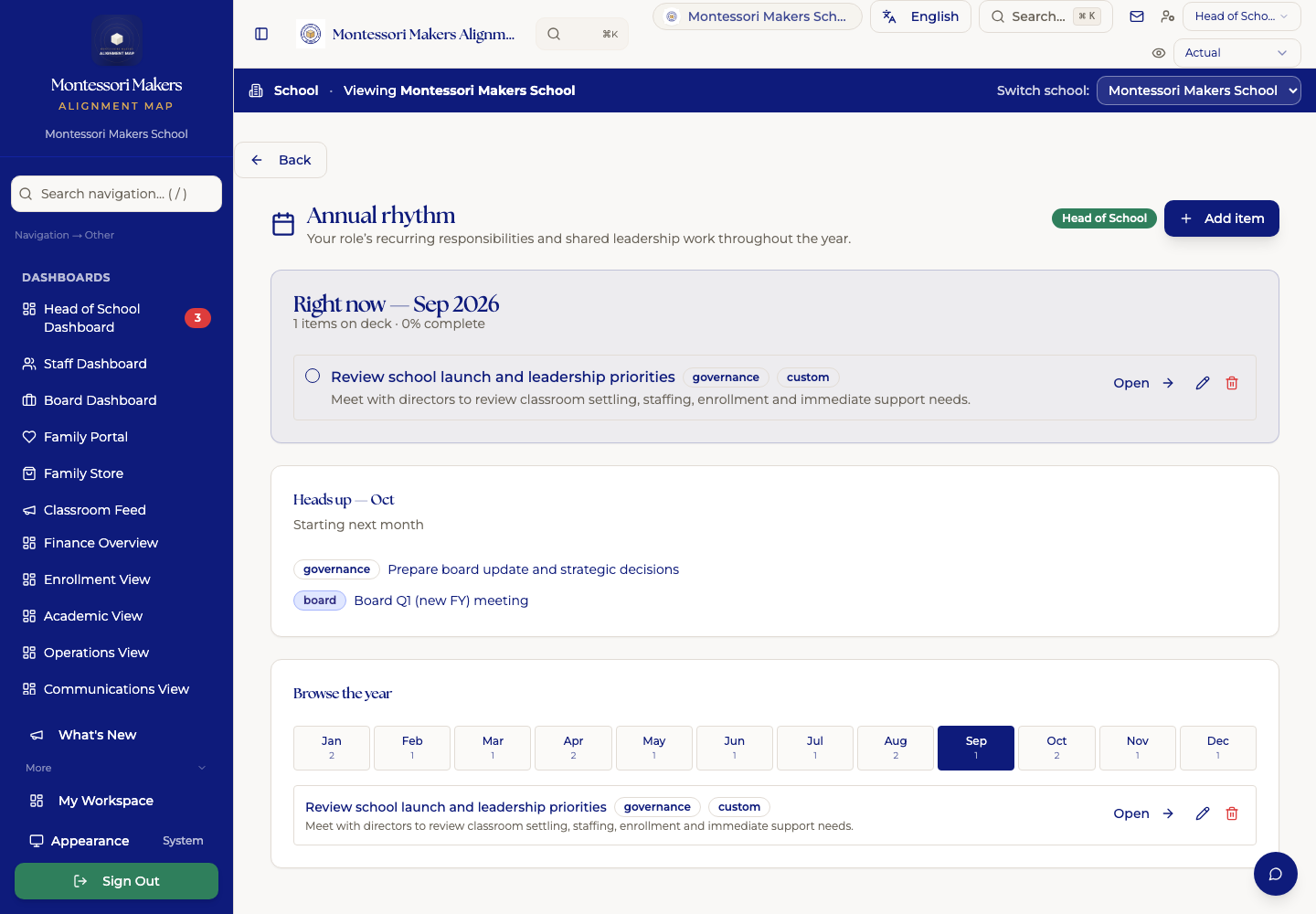
Give the year’s responsibilities a visible place.

Each administrator has an annual rhythm: the work that comes around again, the decisions to prepare for, and the follow-ups that need an owner. Atlas brings that rhythm into leadership dashboards, with governance and planning tools for the people responsible for the school’s direction.

Leadership dashboards, annual rhythms, and governance are part of Atlas.

Explore leadership and governance →
MMAP Annual Rhythm view showing recurring school leadership work
Actual MMAP screen · Fictional demonstration data · Select to enlarge

The work between the big decisions

The follow-through matters.

What happens after a coaching conversation?

Keep observations, goals, appraisals, and follow-ups available for the next conversation. Staff development deserves continuity throughout the year.

Staff development in Mapmaker →

Whose experience needs closer attention?

Use demographic views, belonging surveys, and equity tools to inform the questions your team asks. People bring the context, listen to families, and decide what to change.

Equity and belonging tools →

What does the board need before the meeting?

Bring governance reports, strategic priorities, and open decisions into the preparation. Keep the work available between meetings, too.

Board tools in Atlas →

Does billing reflect the family’s arrangement?

Split-family invoicing, tuition schedules, and incidental charges support the details a school’s billing team has to manage. Billing is an optional add-on.

See how billing works →

Montessori in practice

The guide holds the judgment.

Records give you something to return to: a presentation, an observation, a pattern over time. The guide interprets that evidence, knows the child, and chooses the next invitation to work.

Read the Montessori thinking →

Adolescent programs

A place for students to own their work.

Waypoint is a separate student workspace for planning, reflection, occupations, and portfolios. MMAP supports the adults running the school. Explore the two workspaces and the connection your program needs.

Explore Waypoint with MMAP →

Built by someone who has held the job

Bring a real school day to the demo.

A family question. A coaching follow-up. A board packet to prepare. Show us the work your team carries, and we’ll walk through where it lives in MMAP.